What Is a GPU?

Graphics processing technology has evolved to deliver unique benefits in the world of computing. The latest graphics processing units (GPUs) unlock new possibilities in gaming, content creation, machine learning, and more.

What Does a GPU Do?
The graphics processing unit, or GPU, has become one of the most important types of computing technology, both for personal and business computing. Designed for parallel processing, the GPU is used in a wide range of applications, including graphics and video rendering. Although they’re best known for their capabilities in gaming, GPUs are becoming more popular for use in creative production and artificial intelligence (AI).

GPUs were originally designed to accelerate the rendering of 3D graphics. Over time, they became more flexible and programmable, enhancing their capabilities. This allowed graphics programmers to create more interesting visual effects and realistic scenes with advanced lighting and shadowing techniques. Other developers also began to tap the power of GPUs to dramatically accelerate additional workloads in high performance computing (HPC), deep learning, and more.

GPU and CPU: Working Together
The GPU evolved as a complement to its close cousin, the CPU (central processing unit). While CPUs have continued to deliver performance increases through architectural innovations, faster clock speeds, and the addition of cores, GPUs are specifically designed to accelerate computer graphics workloads. When shopping for a system, it can be helpful to know the role of the CPU vs. GPU so you can make the most of both.

GPU vs. Graphics Card: What’s the Difference?
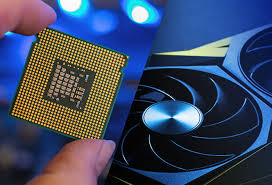
While the terms GPU and graphics card (or video card) are often used interchangeably, there is a subtle distinction between these terms. Much like a motherboard contains a CPU, a graphics card refers to an add-in board that incorporates the GPU. This board also includes the raft of components required to both allow the GPU to function and connect to the rest of the system.

GPUs come in two basic types: integrated and discrete. An integrated GPU does not come on its own separate card at all and is instead embedded alongside the CPU. A discrete GPU is a distinct chip that is mounted on its own circuit board and is typically attached to a PCI Express slot.

Integrated Graphics Processing Unit

The majority of GPUs on the market are actually integrated graphics. So, what are integrated graphics and how does it work in your computer? A CPU that comes with a fully integrated GPU on its motherboard allows for thinner and lighter systems, reduced power consumption, and lower system costs.

Intel® Graphics Technology, which includes Intel® Iris® Xe graphics at the forefront of integrated graphics technology. With Intel® Graphics, users can experience immersive graphics in systems that run cooler and deliver long battery life.

Discrete Graphics Processing Unit

Many computing applications can run well with integrated GPUs. However, for more resource-intensive applications with extensive performance demands, a discrete GPU (sometimes called a dedicated graphics card) is better suited to the job.

These GPUs add processing power at the cost of additional energy consumption and heat creation. Discrete GPUs generally require dedicated cooling for maximum performance.

Today’s GPUs are more programmable than ever before, allowing a broad range of applications that go beyond traditional graphics rendering.

What Are GPUs Used For?
Two decades ago, GPUs were used primarily to accelerate real-time 3D graphics applications, such as games. However, as the 21st century began, computer scientists realized that GPUs had the potential to solve some of the world’s most difficult computing problems.

This realization gave rise to the general purpose GPU era. Now, graphics technology is applied more extensively to an increasingly wide set of problems. Today’s GPUs are more programmable than ever before, affording them the flexibility to accelerate a broad range of applications that go well beyond traditional graphics rendering.

GPUs for Gaming

Video games have become more computationally intensive, with hyperrealistic graphics and vast, complicated in-game worlds. With advanced display technologies, such as 4K screens and high refresh rates, along with the rise of virtual reality gaming, demands on graphics processing are growing fast. GPUs are capable of rendering graphics in both 2D and 3D. With better graphics performance, games can be played at higher resolution, at faster frame rates, or both.

GPUs for Video Editing and Content Creation

For years, video editors, graphic designers, and other creative professionals have struggled with long rendering times that tied up computing resources and stifled creative flow. Now, the parallel processing offered by GPUs—along with built-in AI capabilities and advanced acceleration— makes it faster and easier to render video and graphics in higher-definition formats.

Uniting fluid gaming experiences with the latest in visual technologies, Intel® Arc™ graphics for desktops enables captivating content immersion. Intel Arc graphics cards include built-in machine learning, graphics acceleration, and ray-tracing hardware with scalable performance options for laptops, desktops, and professional workstations.

Create rich digital content augmented by AI and accelerated by Intel® Deep Link Technology. Take advantage of Intel® Arc™ Control’s virtual streaming technologies to entertain your viewers and enhance your livestream. Or take your gaming experience to the next level with Intel Xe Super Sampling’s AI-enhanced upscaling. Intel® Arc™ A-series graphics offers these advanced graphics technologies to power a premium laptop experience for portable immersive gaming and content creation.

For professional content creation, Intel® Arc™ Pro A-series graphics for mobile, desktop, and workstations improves on the performance and memory bandwidth of Intel Arc graphics cards with single-slot, dual-slot, and mobile workstation form-factors. These cards accelerate the creation of beautiful graphics with ray tracing hardware technology and support multiple large displays with Ultra High Definition (UHD), ultrawide UHD, and high dynamic range (HDR).

GPU for Machine Learning

Some of the most exciting applications for GPU technology involve AI and machine learning. Because GPUs incorporate an extraordinary amount of computational capability, they can deliver incredible acceleration in workloads that take advantage of the highly parallel nature of GPUs, such as image recognition. Many of today’s deep learning technologies rely on GPUs working with CPUs.

FPGA vs. GPU for Deep Learning ›

Intel® GPU Technologies
Intel has long been a leader in graphics processing technology, especially when it comes to PCs. Most recently, the Intel® Arc™ A-series graphics bring a new level of advanced technologies to desktops and laptops, with built-in machine learning, graphics acceleration, and ray tracing.

The Intel® Iris® Xe graphics and Intel® UHD Graphics that are integrated into our 13th Gen Intel® Core™ processors support 4K HDR, 1080p gaming, and other rich visual experiences for desktops. For laptop users, Intel also offers the Intel® Iris® Xe MAX graphics.

GPUs in the Data Center
In the data center, Intel supports amazing visual experiences with integrated graphics in Intel® Xeon® processors.

For today’s most complex data center problems, the Intel® Data Center GPU Flex Series and Intel® Data Center GPU Max Series enable powerful and efficient GPU performance. Data center GPUs can offer better support for parallel operations, AI, media, media analytics, and 3D rendering solutions. This makes GPUs essential for advanced use cases such as machine learning, modeling, or 3D rendering for cloud gaming and other content offerings.


Digital twins tools and technologies

This is a new book section we have produced, it explores the realm of Digital Twins (DTs), delving into their fundamental concepts, underlying tools, technologies, and diverse applications across industries. DT, virtual replicas of physical entities, have gained prominence in real-time monitoring, simulation, and optimization. The background section elucidates the evolution of digital twin technology, tracing its historical development and pivotal milestones. Key enabling technologies, the chapter examines how the Internet of Things and sensor networks, cloud computing, big data analytics, machine learning, and augmented reality have paved the way for digital twin implementation. Building and deploying DT is expounded, covering data acquisition, model development, visualization, and integration into operations. The applications segment showcases digital twin use cases in manufacturing, healthcare, energy management, and urban planning from real-world contexts. Despite their promises, challenges are explored, encompassing data security, scalability, and model accuracy. The chapter also charts the future landscape of DT, envisioning AI-driven predictive capabilities, cross-domain integration, and ethical considerations. By illuminating the implications and benefits of digital twin adoption, the chapter underscores their transformative potential in enhancing efficiency, reducing downtime, and enabling informed decision-making. Through an intricate interplay of concepts and technologies, DT emerge as a paradigm with profound implications for businesses, society, and sustainability. Finally, the chapter encapsulates the intricate tapestry of digital twin tools and technologies, offering a comprehensive understanding of their present and future significance while beckoning researchers to unravel uncharted dimensions in this evolving domain.

For more information, consider visiting: https://shop.elsevier.com/books/digital-twins-for-smart-cities-and-villages/iyer/978-0-443-28884-5

Why ChatGPT?

Why ChatGPT?
ChatGPT has become a widely used tool for a variety of reasons, but its primary appeal lies in its ability to simulate human-like conversation. Built on advanced natural language processing (NLP) techniques, ChatGPT understands context and provides responses that feel intuitive and personalized. Unlike traditional chatbots that follow rule-based structures, ChatGPT learns from vast datasets and patterns in human language, allowing it to engage in more dynamic and meaningful conversations. This flexibility is critical for individuals or organizations seeking a tool that can assist with everything from customer service to complex technical queries. As more people look for seamless and efficient communication tools, ChatGPT stands out for its adaptability.

From a technical standpoint, the architecture behind ChatGPT is rooted in a transformer-based neural network, which allows it to process and generate coherent responses across a wide range of topics. The model was trained on a diverse dataset, meaning it can handle both casual conversation and highly specialized subjects. Whether someone is discussing everyday activities or advanced scientific concepts, ChatGPT can parse the information and respond in a way that feels contextually appropriate. This ability to scale from simple to complex dialogue makes it a versatile tool in both personal and professional settings.

Another key strength of ChatGPT is its real-time responsiveness. In fast-paced environments, the ability to generate meaningful responses quickly is essential. ChatGPT’s cloud-based architecture ensures that users receive rapid feedback, enhancing its usefulness in scenarios where time is critical, such as live support or brainstorming sessions. The system’s ability to work across different languages and dialects further broadens its appeal, making it accessible to a global audience.

For businesses, ChatGPT offers significant advantages in automation and scalability. Customer support, marketing, and even internal communications can be enhanced with its conversational abilities. It can serve as a virtual assistant, helping users navigate processes or understand complex topics without requiring human intervention. This not only improves efficiency but also cuts down on costs associated with traditional customer service or information retrieval methods. Its ability to handle a large volume of inquiries without fatigue is an added bonus for industries with high interaction rates.

Ultimately, ChatGPT is more than just a chatbot—it’s a powerful communication tool. Its advanced algorithms allow for a nuanced understanding of human language, making it a valuable asset for anyone looking to streamline tasks or improve the quality of interaction. From small businesses to large corporations, the versatility and technical robustness of ChatGPT make it an appealing choice in today’s increasingly digital and automated world.

How Africa loses over $300b annually in illicit financial flows

How Africa Loses Over $300 Billion Annually in Illicit Financial Flows

Monday, October 07, 2024

Illicit financial flows (IFFs) continue to drain Africa’s economy, with estimates suggesting the continent loses over $300 billion annually due to illegal financial activities. These IFFs include tax evasion, corruption, money laundering, and illegal transfers of wealth, primarily carried out by multinational corporations, corrupt officials, and organized crime. The impact of these outflows is severe, as they erode African economies, hinder development, and exacerbate poverty.

1. Tax Evasion and Trade Mispricing

One of the main channels of IFFs is trade mispricing or transfer pricing, where multinational companies manipulate invoices and pricing of goods to shift profits to low-tax jurisdictions. This practice allows them to avoid paying fair taxes in African countries where they operate, draining significant resources from government revenue. According to estimates, Africa loses billions annually from tax evasion by global corporations.

2. Corruption and Embezzlement

Corruption among high-ranking officials also plays a major role in Africa’s financial losses. Bribery, kickbacks, and the embezzlement of public funds divert resources meant for public services, such as healthcare, education, and infrastructure. This not only deprives citizens of essential services but also weakens the institutions meant to hold such activities accountable.

3. Illicit Trade and Natural Resources Exploitation

Africa’s vast natural resources, including oil, minerals, and precious metals, are often extracted through illegal means, with proceeds funneled out of the continent. The illegal exploitation of natural resources accounts for a large portion of IFFs, with under-reported and undeclared exports causing huge revenue losses for African governments. Illegal trade in diamonds, gold, and other precious minerals has long been an avenue for organized crime and exploitation, further siphoning wealth away from African countries.

4. Money Laundering and Capital Flight

Another aspect of IFFs is money laundering, where illicitly acquired funds are disguised as legitimate wealth through complex financial transactions. Capital flight—both legal and illegal—further drains African economies as wealthy individuals and corporations transfer funds out of Africa to foreign accounts, often in tax havens. This deprives African nations of critical investment that could have been used to develop infrastructure, create jobs, and build stronger economies.

5. Weak Regulatory Frameworks

The lack of strong financial regulation and governance in many African countries creates loopholes that enable IFFs. Corruption within institutions responsible for monitoring financial activities, coupled with limited resources to enforce anti-money laundering policies, contributes to the unchecked flow of illicit funds out of the continent. Global financial institutions also play a part, as they often facilitate these transactions by providing safe havens for illicit funds.

6. Impact on Development

The consequences of IFFs are dire for Africa’s development. With over $300 billion annually leaking out of the continent, governments are left with fewer resources to invest in infrastructure, healthcare, education, and poverty reduction programs. This exacerbates inequality and leaves Africa dependent on foreign aid, which is often insufficient to meet the continent’s development needs. Additionally, the loss of capital limits Africa’s capacity to invest in sustainable industries, hampering long-term economic growth.

Conclusion

Addressing illicit financial flows is critical to Africa’s economic future. Strengthening regulatory frameworks, enhancing transparency in natural resource management, and working with international partners to crack down on tax evasion and money laundering are key steps needed to curb IFFs. African governments and global organizations must prioritize stopping the illicit outflow of wealth if the continent is to achieve sustainable development and unlock its full potential. (theeastafrican.co.ke)

Apple Watch sleep apnea detection now available with iOS 18.1 beta 6

With the release of iOS 18.1 Beta 6, Apple has introduced a significant new feature for Apple Watch users: sleep apnea detection. This long-awaited functionality aims to help millions of users monitor and manage their sleep health by detecting potential signs of sleep apnea, a serious sleep disorder where breathing repeatedly stops and starts.

How Sleep Apnea Detection Works

Using advanced sensors on the Apple Watch, including the blood oxygen (SpO2) sensor and heart rate monitor, the device can now detect irregular breathing patterns during sleep. The feature leverages machine learning algorithms that analyze these readings over time, identifying potential signs of sleep apnea, such as dips in oxygen levels or irregularities in heart rate and breathing. Once an abnormal pattern is detected, users receive a notification prompting them to consult a healthcare professional for further evaluation.

Key Benefits

  • Early Detection: Sleep apnea often goes undiagnosed for long periods. The Apple Watch can now help users catch early signs without needing specialized sleep tests.
  • Convenience: Users can track their sleep apnea risk in the comfort of their homes, eliminating the need for complicated or uncomfortable medical devices.
  • Data Integration: All sleep apnea-related data integrates seamlessly with the Health app, allowing users to monitor long-term trends and share data with healthcare providers.

A Step Forward for Sleep Health

With sleep apnea detection now available in iOS 18.1 Beta 6, Apple continues to expand the health-focused capabilities of the Apple Watch, making it an even more powerful tool for personal wellness management.

Apple’s next MacBook Pros might have leaked in Russia

Rumors are swirling that Apple’s next-generation MacBook Pros might have been leaked in an unusual place—Russia. According to recent reports, a regulatory filing in Russia has hinted at the existence of new MacBook Pro models, which could be part of Apple’s upcoming product lineup.

The leak stems from Russia’s Eurasian Economic Commission (EEC), where manufacturers are required to register any devices that include encryption technology before they can be sold in certain markets, including Russia. The filing reportedly includes previously unknown model numbers, which many believe correspond to the new MacBook Pros.

What We Know from the Leak

The model numbers in the EEC database are often a reliable indicator of upcoming Apple devices, and this particular listing points to multiple new MacBook models. While the filing doesn’t provide details on the exact specifications, these filings have been accurate precursors to past Apple product launches, including previous MacBook Pro versions.

Potential Features of the New MacBook Pros

Given Apple’s recent trend, these new MacBook Pros are expected to feature the next iteration of Apple Silicon, possibly the M3 chip, which promises improved performance and energy efficiency. The 14-inch and 16-inch MacBook Pro models are also rumored to feature mini-LED displays with ProMotion technology, providing smoother refresh rates and better color accuracy.

Timing of the Release

While no official word has come from Apple, the discovery of these model numbers suggests that an announcement could be imminent, possibly aligning with Apple’s traditional October or November event schedule. https://www.theverge.com/2024/10/7/24264707/apple-m4-macbook-pro-russia-leak-video

Stay tuned for more details as this story develops!

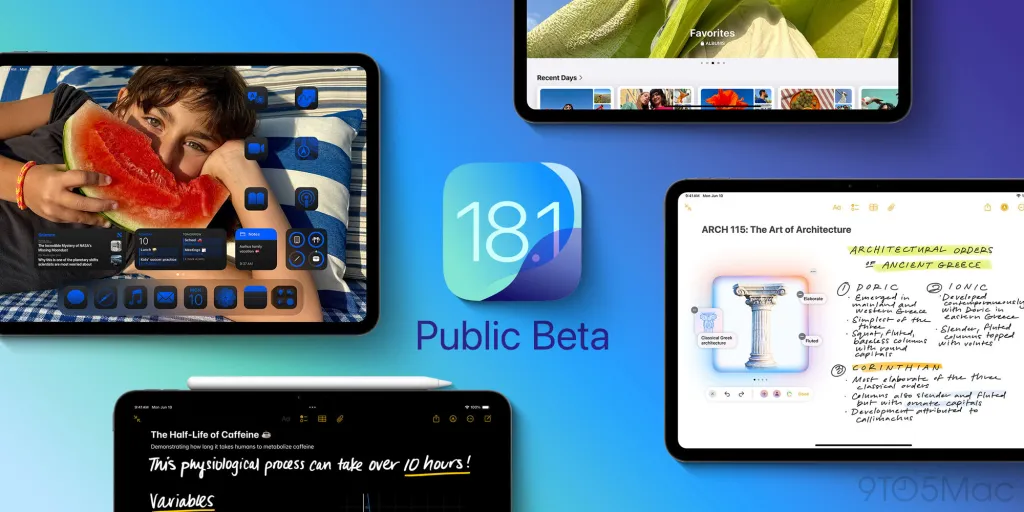
Public beta 3 for macOS Sequoia 15.1, iPadOS 18.1 adds these new features

Apple has rolled out Public Beta 3 for macOS Sequoia 15.1 and iPadOS 18.1, bringing some exciting new features that enhance the user experience across Mac and iPad devices. As always, Apple’s beta programs allow users to get an early taste of upcoming updates while contributing feedback that helps refine the final release. We look closer at the notable features included in this latest public beta.

1. Enhanced Widgets on macOS Sequoia 15.1

macOS Sequoia 15.1 continues to push the envelope with its improved widget system. Public Beta 3 introduces interactive widgets, allowing users to perform actions directly from the widget, such as managing tasks, controlling media, or toggling system settings. Users can now place widgets anywhere on their desktop, blurring the lines between widgets and traditional apps. For instance, a weather widget can be fully expanded for detailed forecasts, or a music widget can let you control playback without opening the Music app.

2. Pro Mode for iPadOS 18.1

With iPadOS 18.1, Apple is advancing its efforts to make the iPad a true laptop replacement. The Pro Mode introduced in Public Beta 3 boosts the performance of iPads with the M1 and M2 chips, allowing for faster multitasking and more fluid transitions between apps. This feature is ideal for power users running resource-heavy apps like video editors or graphic design tools. Pro Mode is also said to improve battery management, dynamically adjusting performance based on usage patterns.

3. Universal Control Enhancements

Apple’s Universal Control, a favorite among Mac and iPad users, gets even better in this beta. Improved syncing between macOS Sequoia and iPadOS 18.1 means users can now drag and drop files between devices with increased speed and accuracy. Public Beta 3 also adds customizable gestures to control navigation and multitasking across devices seamlessly. This creates a more fluid experience for those who regularly switch between their iPad and Mac for work or creative projects.

4. Revamped Split View on iPadOS 18.1

iPadOS 18.1 enhances multitasking further with an improved Split View feature. In Public Beta 3, Split View becomes more flexible and responsive, allowing for better window management and quicker resizing. Users can now drag apps into specific portions of the screen and snap windows into place. This update makes the iPad’s multitasking experience feel more like a desktop, empowering users to manage multiple tasks with greater efficiency.

5. New Safari Features

Public Beta 3 includes several Safari improvements for both macOS and iPadOS. Apple has enhanced tab management by introducing tab groups that can be shared across devices and allowing users to rename groups for better organization. Safari also features improved privacy protections, with more robust tracking prevention to protect user data while browsing. On iPads, Safari Extensions now work seamlessly across both desktop and mobile versions, further enhancing productivity.

6. Smarter AirDrop

AirDrop sees a significant upgrade in this public beta. With smart proximity detection, your Mac or iPad can prioritize AirDrop connections based on how close devices are, reducing the need for manual selection. This makes file sharing between devices faster and more intuitive. Additionally, you can now set a timer to send files at a scheduled time, improving the flexibility of the AirDrop feature.

7. Refined Focus Modes

Public Beta 3 brings tweaks to Focus Modes, with more granular control over notifications and app behaviors. Users can now customize Focus settings across multiple devices, making it easier to manage notifications during work, sleep, or downtime. This update improves sync across macOS and iPadOS, ensuring consistent Focus profiles regardless of which device you’re using.

8. Improved Battery Health Monitoring on macOS

A small but significant update for macOS Sequoia 15.1 is the enhanced battery health management feature. Users can now view more detailed insights into their battery’s performance, including specific app power consumption, allowing for better management of battery life. The system will also suggest energy-saving tips based on your usage patterns.

Final Thoughts

Public Beta 3 for macOS Sequoia 15.1 and iPadOS 18.1 continues Apple’s commitment to refining its ecosystem for performance, productivity, and user experience. These updates, from enhanced multitasking on iPads to improved widget functionality on Macs, show Apple’s effort to blur the line between devices, creating a seamless workflow across its ecosystem. If you’re part of Apple’s beta program, these new features are worth exploring. Just remember, as always with beta software, bugs and glitches may still be present, so proceed with caution.

error: Content is protected !!